
How do I add players to my roster?
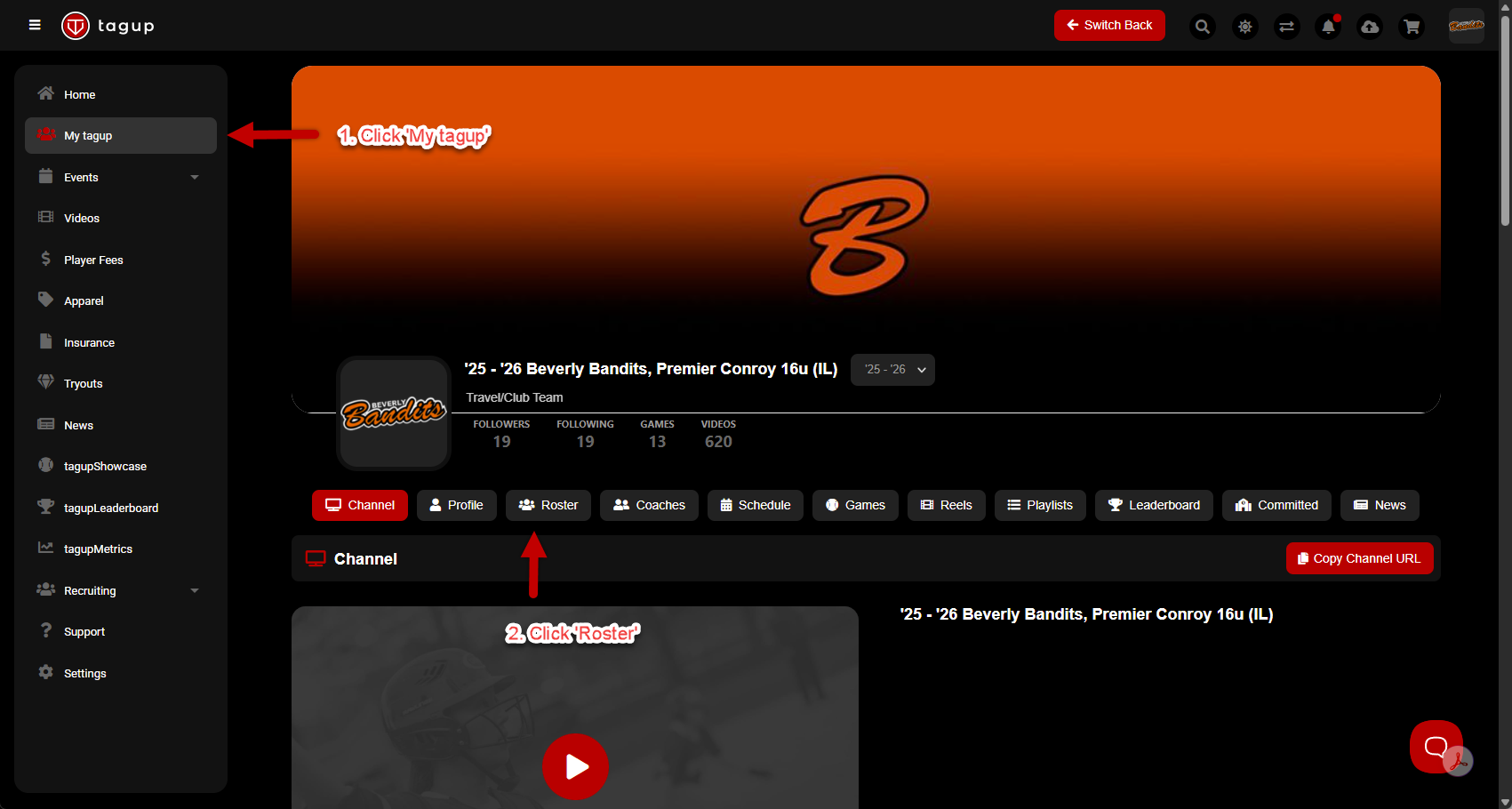
To invite players to your roster, click 'My tagup', and then click on the 'Roster' tab.
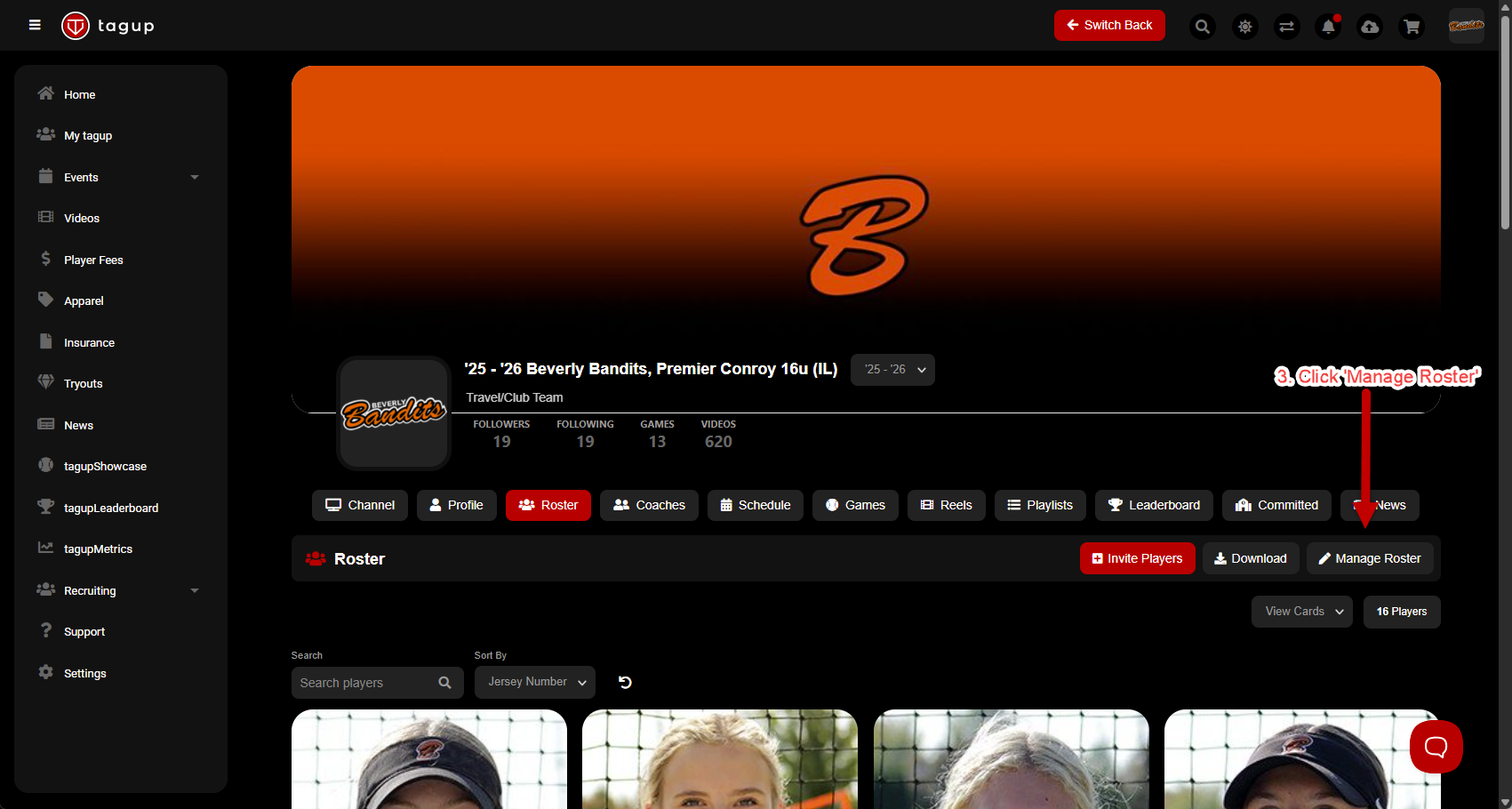
Click 'Manage Roster'
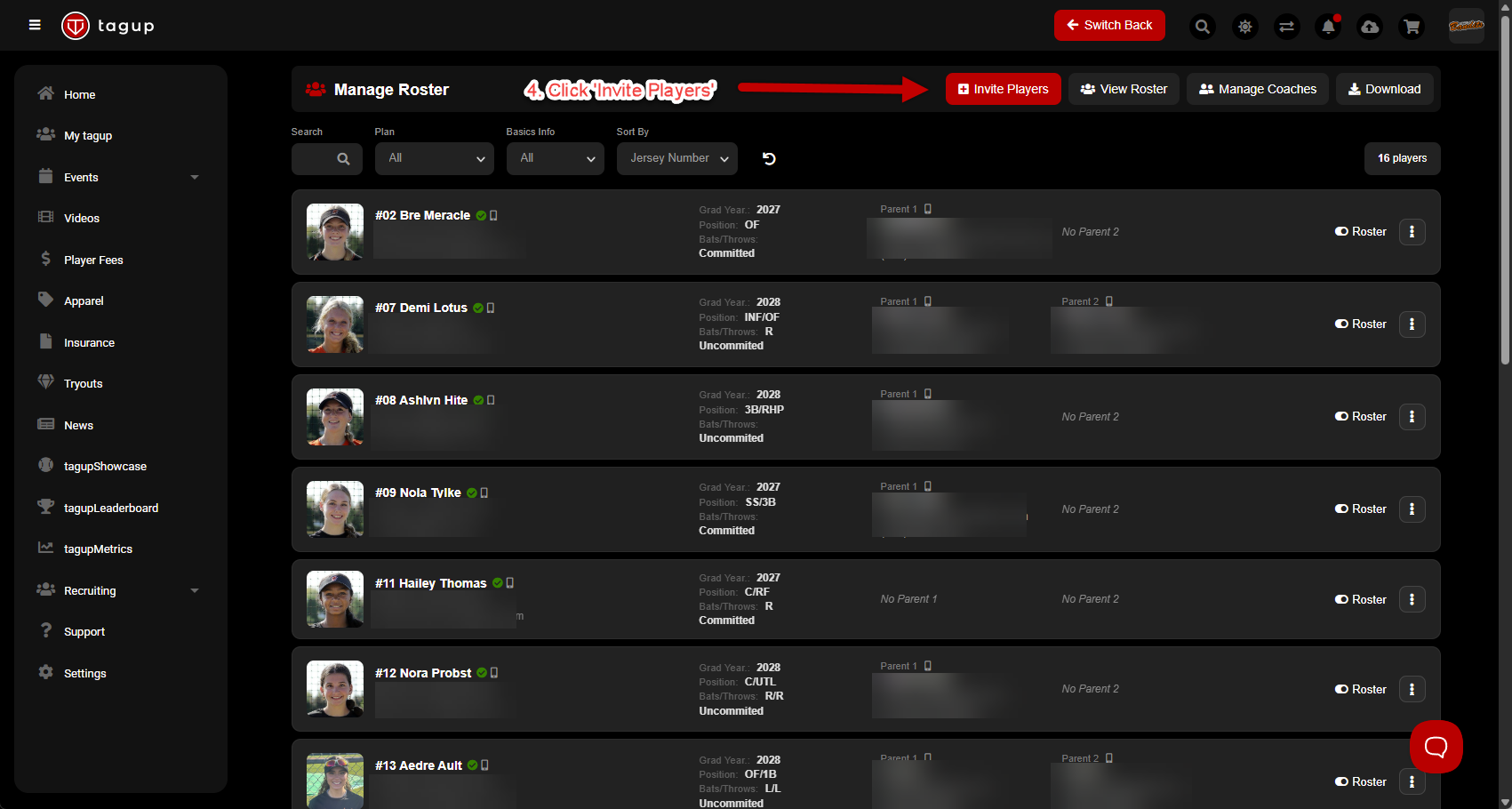
Click 'Invite Players'
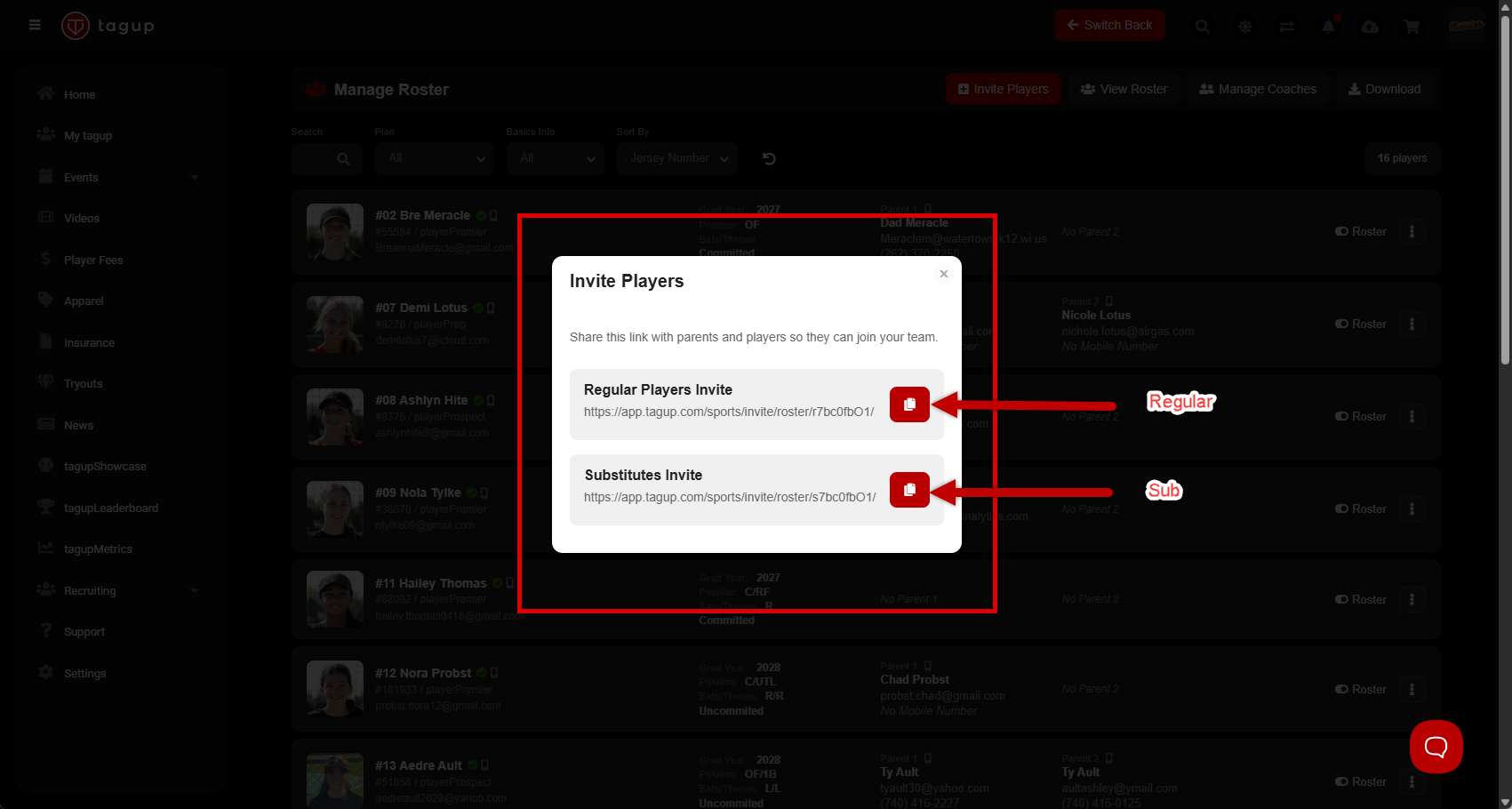
For players on your regular roster, click 'Regular Players Invite'
For pick-up/subs, click 'Substitutes Invite'
Click the red square, to copy the link
Compose an email to your families/players, and and paste the link you copied and email them.
Players will then be asked to login/create an account.